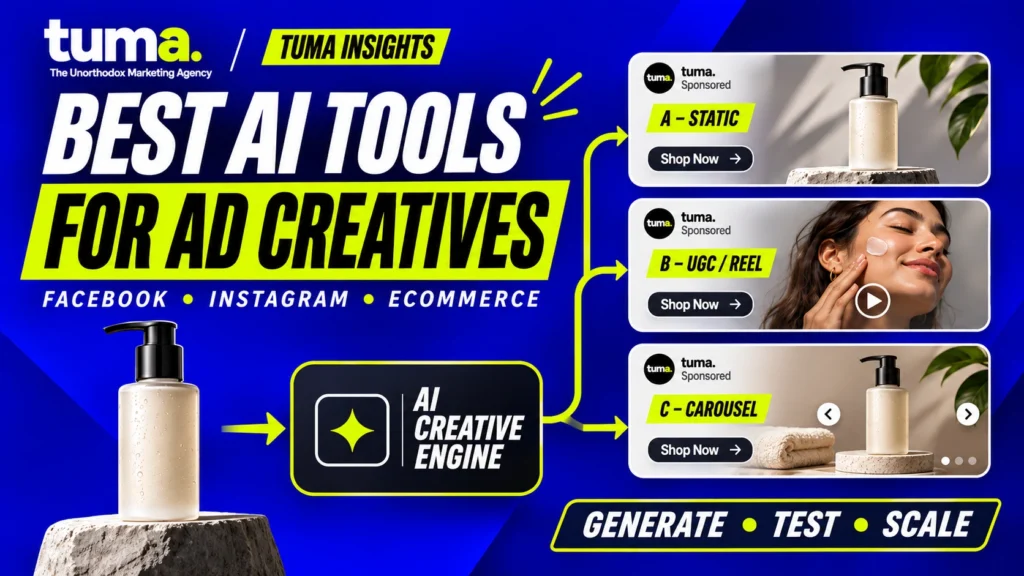
A product video can take longer to approve than it takes to generate. If an AI tool changes the packaging, invents a benefit, or uses a voice you can’t run in paid media, a fast first draft becomes an editing job. The best AI tools for Facebook and Instagram ad creatives help ecommerce teams turn a clear idea into versions they can actually test.
Creatify is the best fit here for turning a product URL into editable video ads. AdCreative.ai suits batches of static ads with predictive scoring, while Canva works well for hands-on design on a budget. Predis AI combines catalog creative and organic social content. Pencil connects production with campaign feedback, HeyGen specializes in presenters and localization, and Meta Advantage+ creative handles eligible in-platform adaptations. The best choice depends on which step is slowing your team down.
What should an ecommerce AI ad tool do?
More products, campaigns, placements, and markets create more work. Start by identifying which work needs help. AI ad generators assemble drafts from inputs such as a product photo or URL. AI image tools build backgrounds, compositions, and static layouts. AI video tools produce clips, product animations, or edits. Avatar tools make scripted presenter videos. General design and editing tools give operators direct control over the final file.
There are three kinds of AI work behind many of these products. Generative AI creates assets, scripts, or audio. Predictive AI estimates how drafts might perform or flags patterns from historical data. Optimization AI can vary assets, combinations, or delivery in the advertising workflow. Creative analytics reads observed results. Check which feature and plan serve the task you’re paying for.
Before subscribing, run one representative SKU through the shortlist using the same approved assets and brief. Compare editing time, product accuracy, rights, placement-ready exports, and cost per approved asset. Include rejected generations and time spent rebuilding drafts.
Best AI tools for Facebook and Instagram ad creatives
1. Meta Advantage+ creative — best for in-platform adaptation
- What it is and what it’s best for. Meta’s creative enhancements inside its advertising workflow. Use it to adapt assets already approved for Facebook or Instagram.
- What it creates and how to use it. Meta documents options such as background generation, image expansion, text variations, and video generation from an image. Start with an approved packshot and preview the treatments available in your ad setup.
- Editing and brand control. Review enhancements and placement previews in Ads Manager. Keep layered source files in your production editor, where you can adjust individual elements and retain the approved master.
- Performance and analytics. Campaign reporting stays in Ads Manager. If you need to isolate the effect of one enhancement, structure a controlled test.
- Free access and pricing. No separate creative subscription was identified. Media spend is separate.
- Advantages and limitations. Campaign context and fewer export steps. Available controls depend on the ad setup, and automated combinations can complicate attribution.
- Best fit. Teams with approved creative that need in-platform adaptations.
2. Creatify — best for turning product URLs into video ads
- What it is and what it’s best for. An ecommerce ad generator for teams that frequently need product-specific videos.
- What it creates and how to use it. Ad Agent can start from a link, saved product, or uploaded media. Creatify supports still ads, video, and avatar-led drafts. A skincare store could import a product page, rewrite the script around one substantiated use case, and replace synthetic application shots with actual footage.
- Editing and brand control. Edit text, captions, trims, media, and layout. Use approved packshots and copy. Check plan access for brand spaces and team controls.
- Performance and analytics. Pro lists connected ad accounts. Creatify documents creative performance reporting and an Ad Launcher. Confirm that the plan covers the reporting and publishing actions you need.
- Free access and pricing. The recurring free plan includes 10 credits and watermarked exports. Standard costs $15 monthly or $10 per month billed annually, with 55 monthly credits. Model, duration, and regeneration affect usage.
- Advantages and limitations. Direct product-page input and practical post-generation edits. Long or repeated generations consume credits, and drafts can inherit weak or outdated listing copy.
- Best fit. Ecommerce teams making frequent SKU-specific videos from a consistent asset library.
3. AdCreative.ai — best for static variants with predictive scoring
- What it is and what it’s best for. An ad generator with scoring and connected-account insights. Consider it if you routinely need promotional statics across several offers.
- What it creates and how to use it. It supports static ads, product visuals, video, and synthetic presenter tools. Instant Ads can take a website as an input. For a bundle launch, create drafts using the same approved product photos and test different benefits or offer messages.
- Editing and brand control. Brand settings and templates establish visual rules. Review typography, price, hierarchy, crop, and logo placement before export.
- Performance and analytics. Creative Scoring AI can use connected Meta data. Use its vendor-generated predictions to shortlist candidates. Competitor examples can inspire concepts, but public ads reveal little about competitors’ conversion results.
- Free access and pricing. The seven-day trial requires a card and advertises 20 credits. Starter shows $39 monthly. The live promotional page displayed 20 monthly credits, while other vendor pages exposed a lower Starter allowance. Confirm the recurring allowance and which actions consume credits.
- Advantages and limitations. Quick batch creation and a way to screen drafts. Credit allowances affect output cost, and scores based on past patterns can steer teams toward familiar ideas.
- Best fit. Paid social teams with a steady queue of image-led campaigns and enough media budget to validate choices.
4. Predis AI — best for product creative and organic publishing
- What it is and what it’s best for. Predis.ai combines ecommerce creative generation with organic social tools. It fits a small team managing both a catalog and a content calendar.
- What it creates and how to use it. Start with a product photo, description, supported product page, or Shopify store import. Generate statics, videos, or synthetic presenter ads. One SKU can supply a paid image ad, an organic Reel, and a carousel.
- Editing and brand control. The editor and brand kit support logos, colors, fonts, and brand language. Check the packshot and final copy after generation.
- Performance and analytics. The vendor documents competitor research from Meta Ad Library activity and organic publishing. Its ecommerce guide describes downloading creatives for paid campaigns. Use Ads Manager for paid results.
- Free access and pricing. The three-day trial requires a card. Core displayed $230 billed annually, 1,300 credits per month, and one brand. The Core table excludes autoposting. Credit use varies by asset type.
- Advantages and limitations. Product import and reusable brand assets save setup. Credit consumption varies, and paid reporting may require a separate workflow.
- Best fit. Small ecommerce teams that share creative production across paid and organic channels.
5. Pencil — best for connecting creative production to ad results
- What it is and what it’s best for. A creative platform for teams that want generation, editing, and connected analysis in one workflow.
- What it creates and how to use it. Agents generate text, images, and video. A brand could review past single-video ads by concept, identify a customer objection worth exploring, and build a fresh cut from approved footage.
- Editing and brand control. Use the editor, brand library, and resizing controls to create variants. Pencil lists feed-based bulk generation and advanced access controls on its custom-priced Pro tier.
- Performance and analytics. Pencil can connect to Meta, launch supported ads, and report observed results and predictive scores. Its import documentation includes single images, single videos, and carousels. It excludes Dynamic Product Ads, Advantage+ Catalog Ads, and Collection ads from supported imports.
- Free access and pricing. The guided free experience covers six ads. Core lists $14 monthly, or $11 per month billed annually, with 50 generations a month and one workspace.
- Advantages and limitations. Connected history and reusable workflows. Format coverage varies, and a new account has less performance history to learn from.
- Best fit. Paid social teams that run regular tests and want to use their creative history more effectively.
6. Canva — best for hands-on static ad design on a budget
- What it is and what it’s best for. A design and video editor with AI features for teams that want direct control over layouts and exports.
- What it creates and how to use it. Build image ads, edited videos, and social layouts. An ecommerce brand can keep an approved packshot fixed and change the headline, proof, or offer while keeping the rest of the design comparable.
- Editing and brand control. Editable layouts make it easy to refine typography, product scale, and placement. Free lists a three-color brand kit. Pro adds more brand capacity and tools such as resizing.
- Performance and analytics. Produce the assets in Canva and measure paid performance in Ads Manager.
- Free access and pricing. Ongoing Free plan with limited pooled monthly AI usage. Pro was listed at US$144/year for one person. Designs using your own or eligible Free elements can export cleanly. Premium elements may require a license to remove a watermark.
- Advantages and limitations. Precise layout control and a usable free workflow. AI allowances vary by task, and the paid testing loop takes place outside the editor.
- Best fit. Founders and designers building ads from real product imagery.
7. HeyGen — best for presenter-led ads and localization
- What it is and what it’s best for. An avatar and video translation platform for teams that need scripted delivery across markets.
- What it creates and how to use it. Make avatar-led video, voiceovers, or translated footage. A retailer could pair a scripted explanation with genuine product footage, then adapt the script and voice for another market.
- Editing and brand control. Edit captions and supporting footage. Paid plans include Brand Systems. Have a reviewer in each target market check the script, pronunciation, lip sync, and delivery.
- Performance and analytics. Export the video and assess ad results in Ads Manager.
- Free access and pricing. Three watermarked videos monthly on Free, with no card required. Creator costs $29 monthly and includes 600 credits. Check credit use for translation and advanced avatars. HeyGen specifies commercial avatar use on eligible paid plans.
- Advantages and limitations. Repeatable presenter production and localization. Unnatural delivery or product handling can undermine credibility, and a script still needs verifiable proof.
- Best fit. Teams creating explainers or localizing approved creative with footage and terminology they control.
Best free AI tools for Facebook ads and social content
Canva Free is the most practical starting point here if you need an image ad you can finish and export. Use your own product photos and eligible Free elements. Its AI allowance resets monthly and varies by task. The ongoing Free plan is separate from the Pro trial, and Canva documents separate terms for AI output and library assets.
Creatify and HeyGen offer recurring free access for video prototypes with watermarked exports. Creatify lists 10 credits monthly. HeyGen lists three videos monthly and requires no card for Free. Pencil offers a guided evaluation covering six ads. Predis AI and AdCreative.ai offer timed, card-required trials. Card requirements for the Creatify and Pencil free flows were unconfirmed in the public documentation reviewed. Check export and usage terms before putting a trial asset into a paid campaign.
For organic social content, prioritize templates, calendars, captions, and scheduling. For paid creative, prioritize offer control, placement-specific exports, and feedback from ad performance. Check both sets of entitlements if one tool will serve both teams.
What is Meta AI Ads Manager?
“Meta AI Ads Manager” is shorthand for AI in Meta Ads Manager, where advertisers build, manage, and measure campaigns. Advantage+ creative refers to creative enhancements available in eligible setups. Meta has also described a Meta AI business assistant for advertisers and Meta Ads AI Connectors for working with third-party AI tools. Meta Business Agent focuses on customer conversations and support. Check which controls are available in your own ad account before planning around a specific rollout.
Use native AI when you have approved assets and want to adapt them in Ads Manager. Use a third-party tool when you need a separate timeline, product-page inputs, scripted presenters, localization, or a reusable asset library. Before connecting an account, check whether the integration reads metrics, creates drafts, publishes ads, or can also change active campaigns. Give it the permissions required for the job.
Build the brief before generating the ad
Business objective → customer research → audience and awareness stage → hypothesis → concept → angle → hook → proof and offer → AI production → human QA → Meta distribution → data → learning → next iteration.
Pull customer language from reviews, support tickets, search queries, sales calls, social comments, competitor reviews, interviews, and FAQs. If customers return a bag because they misjudge its capacity, the creative opportunity is a packing demonstration. Write a brief with the objective, audience, insight, concept, angle, hook, message, proof, offer, CTA, placement, and KPI.
A concept is the central idea. An angle is the reason for the buyer to care. A hook earns attention in the opening. For the bag, the concept could be packing for a weekend with one bag. The angle is usable capacity. The hook is a top-down shot of everything that needs to fit. Show the real bag closing to deliver proof.
Cosmetic variants change a color, background, transition, or voice. Strategic variants explore a different customer problem, benefit, proof point, creator, or offer. If the packing concept works, test a clearer visual opening or a different layout. If the benefit fails to resonate, test an idea about quick access at airport security or another problem customers actually mention. A batch of new backgrounds leaves the original hypothesis untouched.
Match the format to the proof and placement
| Workflow | Where it helps | What to check |
| Photo or packshot → static ad | A bundle, product lineup, or offer viewers can understand at a glance | Keep the real packshot. Check label, scale, type, price, and crop. |
| Image or text → video | Movement that adds context, such as a reveal or transition | Check for invented parts and implausible handling. Use real footage to demonstrate physical performance. |
| Product URL → video | A draft script and sequence built from listing text and media | Verify price, product name, specifications, benefits, stock, and promotion terms against approved data. |
| Script → avatar or dubbed video | Explainers or approved messages adapted for another market | Review delivery, pronunciation, currency, idioms, offer terms, voice rights, and local requirements. |
In Feed, make the product and proposition legible at a glance. For Reels, lead with movement or proof and leave room for interface overlays. In Stories, time the reveal so viewers can read the offer. In a carousel, give every card a job, such as explaining a feature or answering an objection. Preview the actual placement and check its current image or video specifications before export.
Put human quality control between generation and launch
Product truth → claim → evidence. Compare the output with the approved product. Check shape, packaging, logos, labels, colors, scale, components, ingredients, specifications, and use. Look for invented certifications or results. Keep an asset library with approved packshots, fonts, claims, templates, creator permissions, and past ads. That gives reviewers a reference for spotting brand drift in typography, color, product presentation, voice, and motion.
Organic UGC comes from customers. Commissioned UGC comes from paid human creators. AI UGC-style creative uses synthetic scenes or presenters. An avatar can explain how a product works. Use real, supportable customer experiences for testimonials and apply relevant disclosures. The U.S. FTC says an avatar can convey a testimonial depending on its use, and its rule covers fake or false testimonials. Meta has announced AI labeling for qualifying ads, including when it detects signals from third-party AI tools. The advertiser remains responsible for the truth of the message.
Rights and privacy. Check terms for generated assets, stock, music, voices, likenesses, territories, and paid placements. Creatify and Canva publish distinct conditions for user content and assets licensed through their platforms. Predis.ai says it licenses its generated ads for commercial use, and Pencil says users own what they generate. AdCreative.ai’s subscriber terms make customers responsible for compliance with third-party licenses. For connected accounts, check what the vendor ingests and how it handles access, retention, and deletion. Pencil says connected ad-account data trains a dedicated workspace prediction model and documents limits on using prompts and uploaded assets for training. Record the approval before launch.
Test the hypothesis and diagnose the purchase journey
A controlled A/B test isolates the change you care about, such as which opening works for the same offer and audience. A concept test may compare a demonstration, a product comparison, and a founder explanation. It shows which creative package performed better under the test conditions. Tag ads by concept, angle, hook, format, creator, SKU, benefit, proof, offer, CTA, and funnel stage. Record dates, spend, and meaningful outcomes so the next brief can use what the team learned.
Predictive scoring can help you choose candidates. New products and offers, thin account history, changing auctions, and unfamiliar concepts can all weaken predictions. Give novel ideas a chance to collect evidence before cutting them based on a score.
| Signal | What to inspect first |
| High CPM or low reach | Audience size, auction conditions, placement mix, and budget |
| Weak hook or early retention | Opening frame, relevance, and clarity. Define hook rate consistently if your team calculates it. |
| Strong opening, early drop-off | Pacing, proof, or a promise delayed too long |
| Strong watch time, weak link CTR or expensive clicks | Offer relevance, CTA, and the reason to click |
| Strong CTR, weak conversion rate | Product page, price, shipping, trust, message match, or checkout friction |
| Good conversion rate, high CPA or CAC | Media costs, audience and auction mix. Use margin per order to judge what you can afford. |
Track reach and CPM for exposure, watch time and retention for attention, link CTR and CPC for traffic, and CVR, CPA, attributed revenue, and ROAS for conversion. Use new-customer CAC and contribution margin to assess the business outcome. ROAS reports attributed revenue relative to ad spend. Profit also depends on product costs, shipping, discounts, returns, payment fees, production, and agency costs.
When frequency rises and response falls, investigate creative fatigue alongside auction, offer, and landing-page changes. Start with an execution refresh if the concept still works. Move to a new hook, angle, concept, or offer as the evidence warrants.
Ad promise → product page evidence → checkout → purchase. If a Reel offers free shipping on a bundle, the landing page should show the same bundle and shipping terms. Fix the offer or the destination if customers discover a different deal after they click.
Read Also: TUMA’s guide to landing pages
Which AI ad creative tool should you choose?
Start with Meta Advantage+ creative if you already have approved assets and need in-platform variants. Start with Canva for precise static layouts, or consider AdCreative.ai if you need recurring static batches with scoring. Test Creatify if product-to-video production is slow. Shortlist Predis AI if the same team manages organic social and catalog creative. Choose HeyGen for scripted presenters or dubbing. Consider Pencil when the team already produces plenty of ads and struggles to learn from them.
Include subscriptions, credits, staff time, editing, rights checks, and media testing in the budget. Pick the tool that yields more approved, meaningfully different ads you can afford to test. Add a second tool when it solves a separate bottleneck.
How TUMA thinks about AI and performance creative
At TUMA, the strategist chooses what to test, the creative director protects the idea and brand, and the editor turns drafts into launch-ready assets. The media buyer sets up distribution. The analyst checks what happened and feeds the evidence into the next brief.
Customer insight → creative hypothesis → AI-assisted execution → human approval → Meta distribution → performance data → better creative. Marketing should deliver results. If your team has plenty of assets and little evidence about what buyers respond to, start with the brief and the test design.
Read Also: TUMA’s performance creative guide
8. Frequently Asked Questions
Which AI tool is best for Facebook ads?
Use Meta Advantage+ creative for eligible in-platform changes, Canva for hands-on static design, Creatify for product-link video drafts, or Pencil when connected creative reporting is the main need. Choose according to the step your team needs to improve.
Can AI automatically generate Facebook ad creatives for ecommerce products?
Yes. Creatify and Predis AI can turn a supported product URL or product media into draft ads. Verify product depiction, approved claims, pricing, and offer terms before launch.
Which AI platform is best for ad creatives?
AdCreative.ai fits batches of static ads with predictive scoring. Creatify suits URL-to-video production. Canva is better suited to hands-on layout work, and HeyGen specializes in video presenters and translation.
What are the best AI tools for ecommerce?
For ad production, pair Meta Ads Manager with the tool that solves the biggest constraint. Creatify can draft product videos, Predis AI can combine product creative and organic content, and Canva can produce image ads from approved product photography.
Are there free AI tools for Facebook ads?
Yes. Canva Free can produce ads using eligible assets. Creatify and HeyGen offer recurring free access with watermarked exports. Pencil offers a guided six-ad evaluation. Predis AI and AdCreative.ai offer time-limited trials.
Is Predis AI free?
The main Predis.ai platform advertises a three-day trial with a card. Its pricing page says it charges after the trial unless canceled.
What is Meta AI Ads Manager?
It’s shorthand for AI tools in Meta’s advertising workflow. Meta Ads Manager is the platform for running and measuring ads. Advantage+ creative provides eligible creative enhancements.
Can AI generate Instagram Reels ads?
Yes. Video generators can create drafts for Reels. Before uploading, review the opening, product accuracy, captions, audio rights, and the live placement specifications.
Can AI create UGC ads?
AI can create UGC-style ads with synthetic presenters. Use a synthetic presenter for a scripted explanation and real people for genuine customer experiences.
Do AI-generated ads perform better than human-made ads?
Performance depends on the concept, product, offer, execution, audience, delivery, and purchase experience. Compare executions under comparable conditions. Evaluate purchases or qualified conversions alongside production cost.